TimePanic Products

TimePanic time management software is available for Windows and for Pocket PC. There are three TimePanic products you can download:

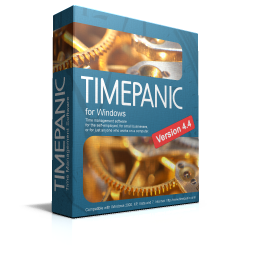
TimePanic

for Windows

TimePanic for Windows has been around for several years now and has been continuously improved to fulfill our customers' needs and wishes.

If you already have a license for this product and now want to run TimePanic on your Pocket PC, too, you can purchase an upgrade license.

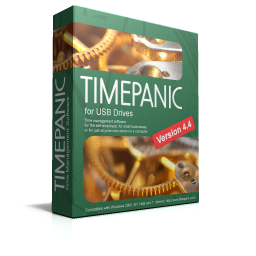
TimePanic

for USB Drives

TimePanic for USB Drives is the same product as TimePanic for Windows, except for the following differences:

  • It does not need to be installed and is distributed as a self-extracting ZIP file.
  • It does not modify the Windows registry.
  • It only writes to its own directory. The location of the user data cannot be changed.
  • It does not include demo data.
  • It does not support sharing data between several users.

These features make TimePanic portable and allow it to run on USB flash drives.

TimePanic

for Windows and Pocket PC

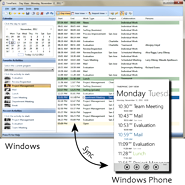
This product is an extended version of TimePanic for Windows that includes a time management application for Pocket PC. Its setup includes:

  • TimePanic for Windows
  • TimePanic for Pocket PC

Both applications are synchronized via ActiveSync (Windows 2000/XP) or the Windows Mobile Device Center (Windows Vista).

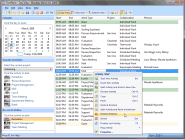
More screenshots.

More screenshots.

Supported Windows Platforms
  • Windows 2000
  • Windows XP
  • Windows 2003
  • Windows Vista

Internet Explorer version 5.5 or better must be installed.

Supported Windows Platforms
  • Windows 2000
  • Windows XP
  • Windows 2003
  • Windows Vista

Internet Explorer version 5.5 or better must be installed.

Supported Windows Platforms
  • Windows 2000
  • Windows XP
  • Windows 2003
  • Windows Vista

Internet Explorer version 5.5 or better must be installed.

Supported Pocket PC Platforms
  • Pocket PC 2002
  • Windows Mobile 2003
  • Windows Mobile 5.0
  • Windows Mobile 6

Note that TimePanic does not support Smartphones, even if they are based on Windows Mobile. Smartphones usually have a smaller display and no touch screen. See this Wikipedia article for more information on Pocket PCs and Smartphones running Windows Mobile.

Proceed to the download page.

Proceed to the download page.

Proceed to the download page.


[TimePanic Time Tracking Software] [Site Map

Products
Time tracking software - keep track of time with TimePanic!